With Claude Experiment
Your Claude sessions, in your notes
Dictate your prompts. Every turn lands in LocalScribe, one note per conversation, and counts in your day beside everything else you said.
Every turn, kept
One note per conversation
Each turn under its time: what you asked, and how the answer began. A Claude Code hook writes it, so Claude spends no tokens on it.
How a turn is written
Pick a turn, then a part.
Why it helps
Most of my work is talking to an AI
That’s how this experiment started. Once every turn was a note, three things showed up.
You see when you work. Your prompts count as talking, so Today and your rhythm show the hours you actually worked, even on days you never opened a document.
You shape the idea first. Say the messy version on a walk or at your desk, Format it, then hand Claude the clean one. The idea is yours before it’s a prompt.
Claude works your queue. Over MCP, Claude reads what’s pending or parked, groups it into a project and marks it done when you say so.
Your queue
Every note has a place
Notes are in transit: said here, used somewhere else. Three statuses keep track of where each one stands.
Not used yet
- Friday launch checklist
- Beta invite email
- Widget idea: show the queue
Parked
- Pricing page thoughts
- Interview notes · Sofía
Used or finished
- Feedback from the design review
Step 1 / 6
Every note starts as Pending. You dictate, it lands at the top of the queue: said, not used yet.
Your day
See your work
A day of talking to Claude and to your computer, the way LocalScribe keeps it.
- Capture slot
public/media/claude/day-1-dictate-{theme}.pngThe mini window over Claude Code while a prompt is dictated
8:20You dictate the prompt. In the mini window, over Claude Code.
- Capture slot
public/media/claude/day-2-note-{theme}.pngThe “Claude · …” note in the Library with that turn
8:21The turn lands. In the conversation’s note, under its time.
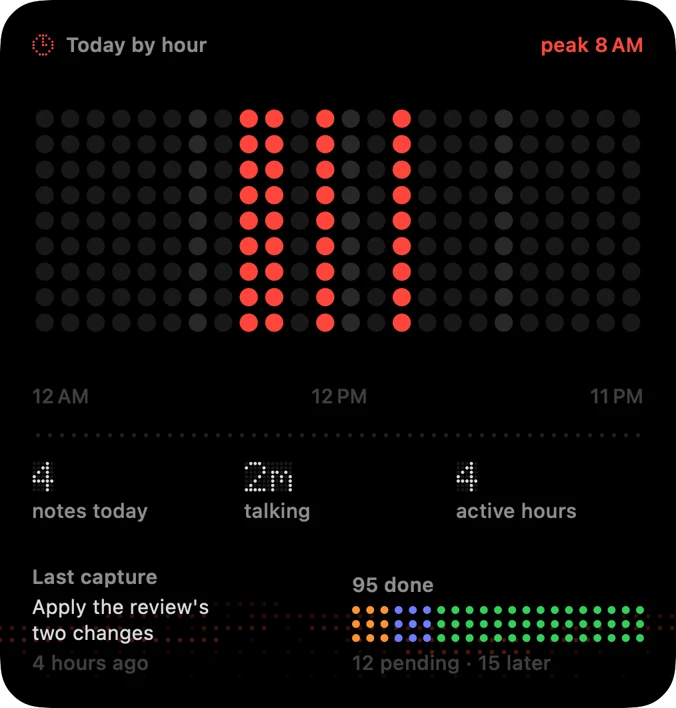
14:00Your rhythm counts it. The morning with Claude is the day’s peak, hour by hour.
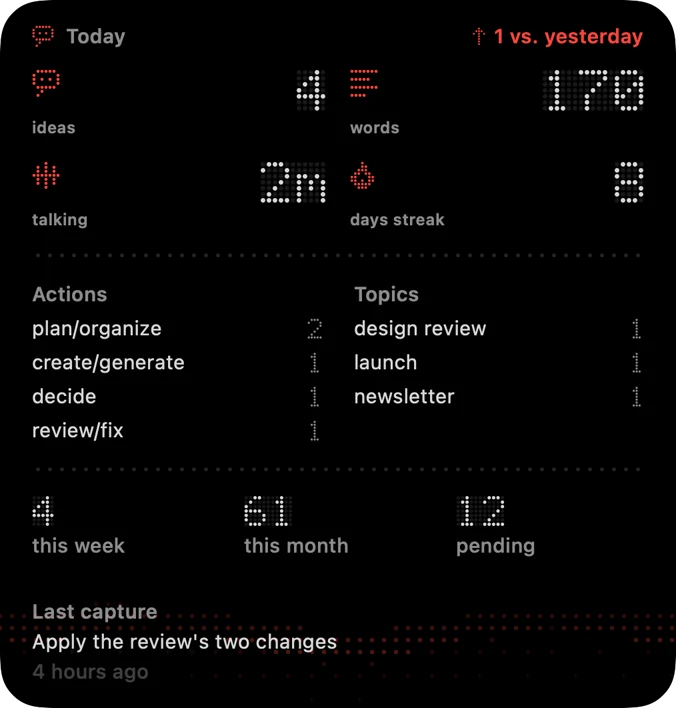
18:40The day, at a glance. Ideas, words and minutes talking, on your Home Screen.
Set it up
Three steps, on the Mac
- 01
Turn it on. LocalScribe → Settings → AI Assistants → Claude conversations.
- 02
Install the plugin. In Claude Code, run:
/plugin install localscribe-log --marketplace jcguzmanr/localscribe-claude - 03
Talk to Claude. Each turn lands in its conversation’s note. Nothing goes to a server: the hook talks to LocalScribe on your Mac.
Needs the next LocalScribe update for Mac.
It reads your queue too: over MCP, Claude, Codex or ChatGPT can work through what’s pending. Nothing changes without your OK.

One purchase, no subscription.